 Yas
Yas Weavernote LIVE PRODUCT
Your notes.
A bigger picture.
A workspace for ideas that deserve more than a place to sit. Capture what matters, connect your notes, and turn what you collect into something you can learn from.
Available on the web and Android. Installable as a web app.
Collecting information
is just the beginning.
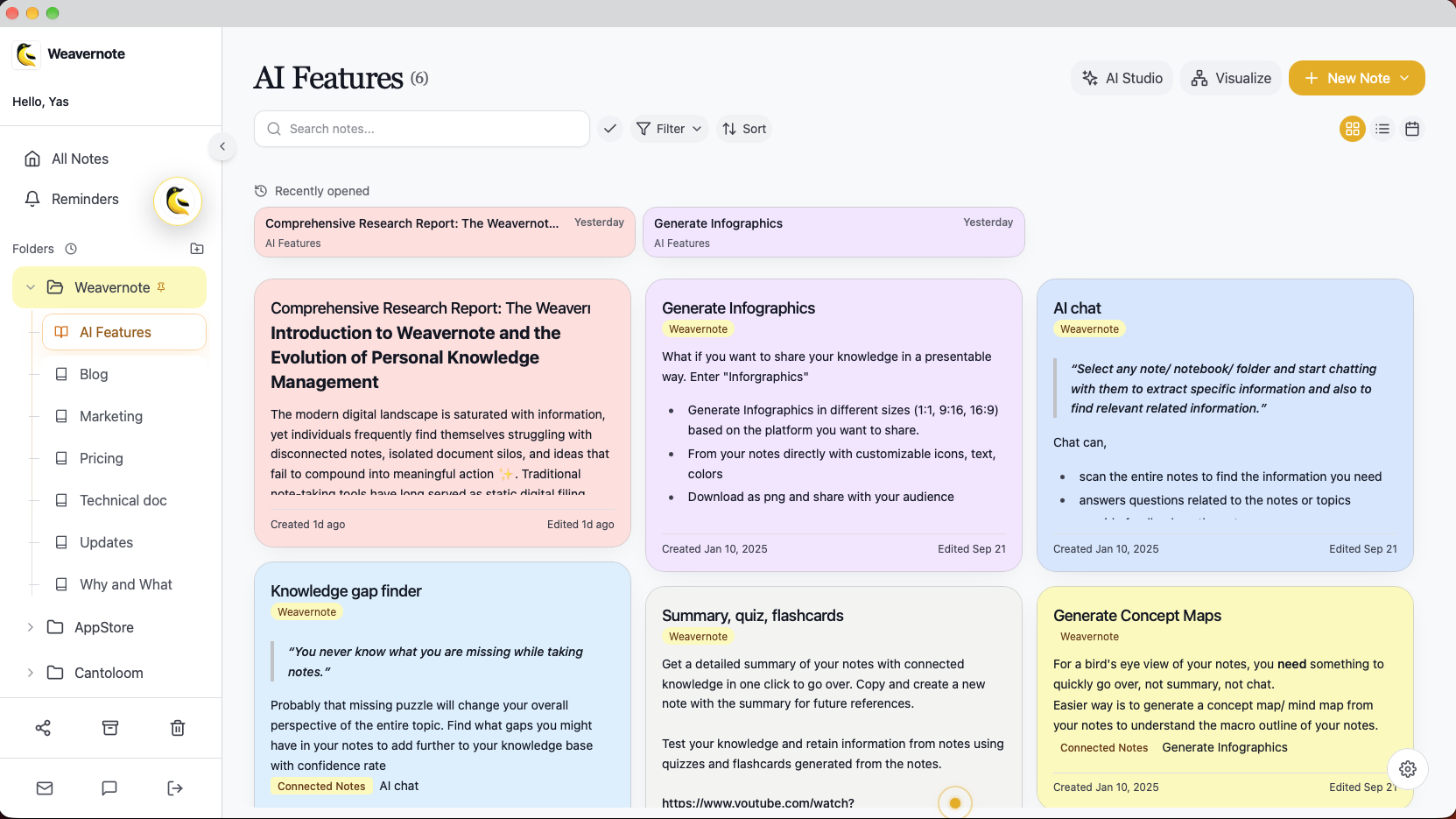
Weavernote brings note-taking, visual organization, and AI tools into one workspace. Keep your source material in folders and notebooks, link the ideas that belong together, and choose how you want to revisit them.
A place for what
you want to keep.
Write rich-text notes, keep related material in notebooks and folders, and find it again with search. Bring in more than typed text through supported voice recording, audio uploads, PDF, and YouTube workflows.
- Folders and notebooks for a little structure
- A rich-text editor for notes, lists, and links
- Voice and document capture alongside your notes
Ideas don’t live
in isolation.
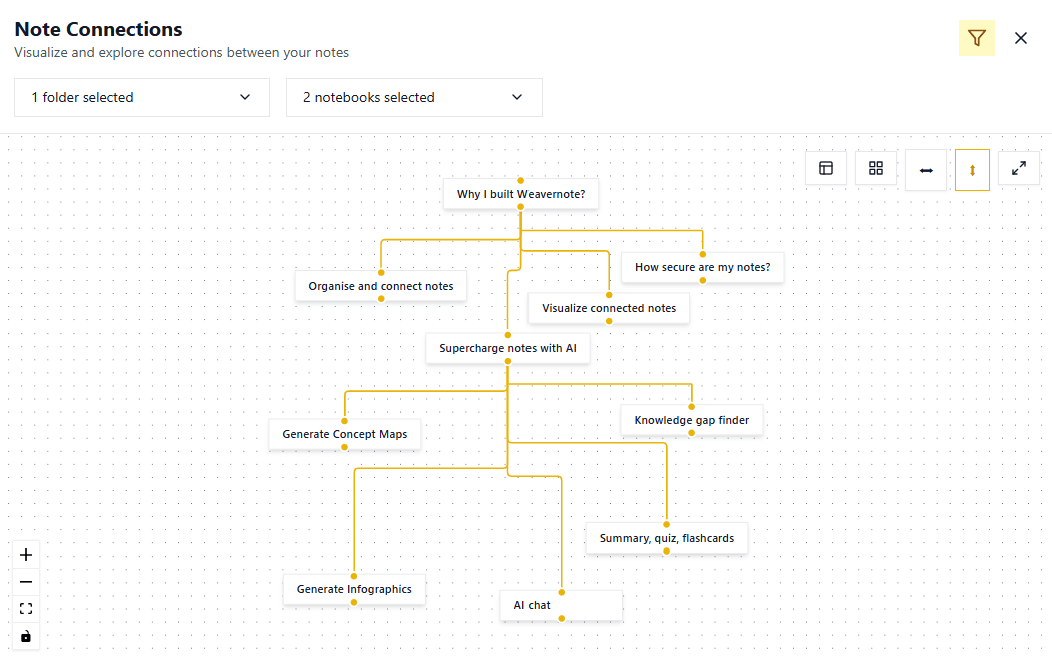
Link related notes through references or the connection manager. Then explore those links in an interactive knowledge graph: pan, zoom, and open a note from its node.
The graph reflects the connections you create, giving you another way to navigate your knowledge beyond folders.
Explore the knowledge graphFrom saved notes
to new understanding.
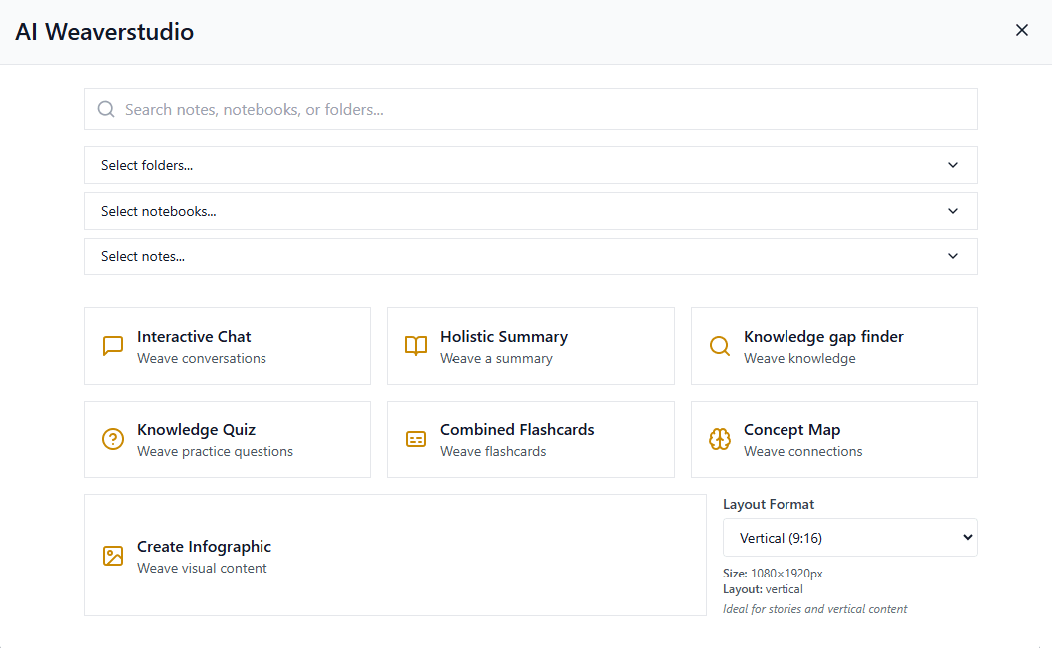
Select notes, notebooks, or folders in AI Studio, then choose how to work with them. Create a summary, practice with flashcards and quizzes, build a concept map, or ask questions across your selected material.
- Summaries, flashcards, quizzes, and concept maps
- Conversations grounded in the notes you select
- Audio and Visual Digests for different ways to review
One lecture. A whole study session.
Capture the material
Write your class notes or use a supported recording or PDF workflow to bring the material into Weavernote.
Give it a home
Keep it in a course notebook and connect related notes, so the bigger picture is easier to return to.
Practice what you learned
Select your notes in AI Studio and create flashcards, a quiz, or a concept map. Review the results against your source.
Give your next idea a home.
Explore the app and see which tools fit the way you think.
AI features and transcription require an internet connection.